ILF Livestreaming & On Demand Troubleshooting Guide
Joining a Livestreamed event for the first time?
Once you have purchased a ticket for a livestream event, you will receive a confirmation email from messages-noreply@ticketsolve.com with your tickets – at the bottom of the email, there will be a link to your livestreamed event in an orange box.
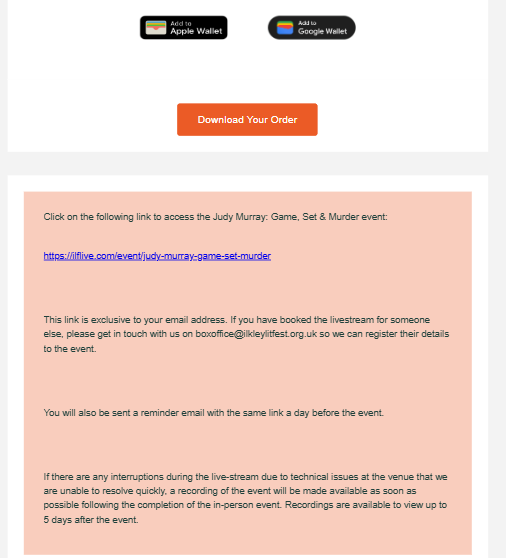
If you have not received this email within 24 hours of your purchase, please contact our box office on 01943816714 or email boxoffice@ilkleylitfest.org.uk and a member of our team will be happy to help.
Be sure to check your spam and junk folder if the email hasn’t gone through to your inbox.
You will also receive a reminder email with the livestream link attached 24 hours before your event.
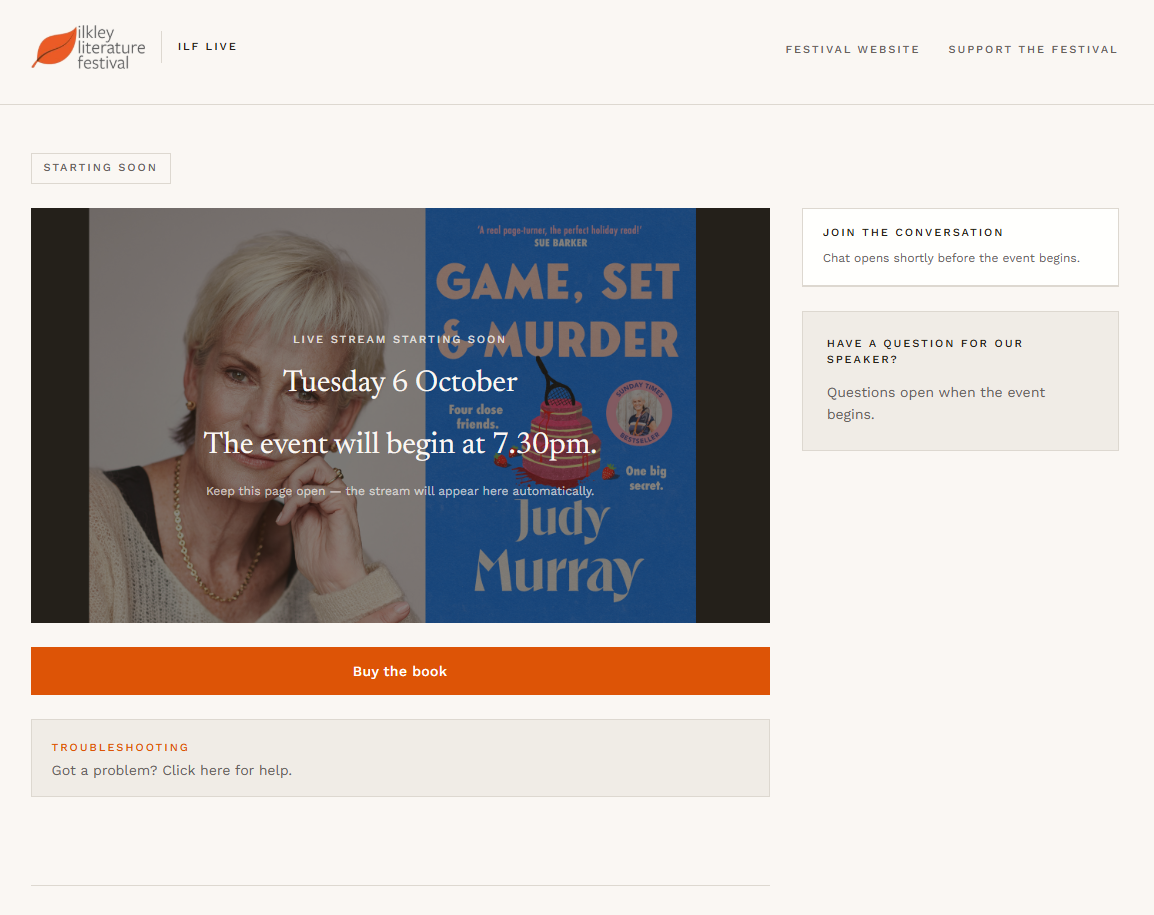
Clicking on this link will take you directly to the ILF Live page where the livestream will be available to view.
If you are watching live:
The live stream will start automatically at the event start time. Click “Turn Sound On”, and adjust your device volume.
To the right of the page is the Chat function, which will ask for your name before you can message.
Below the chat function is the Q&A section where you can type in your questions for the speaker to answer towards the end of the event. Please note, there is limited time for the Q&A and the host may not be able to get to all the questions. Throughout the live stream you can upvote the questions you would most like answered.
FAQs:
The stream hasn’t started or the video isn’t playing.
Keep this page open — the live stream will appear automatically. If the live stream doesn’t start, try refreshing the page. If you’re on a slow connection, the video may take a moment to start.
I can’t hear anything.
Tap “Turn sound on” and check your device volume.
Chat or Q&A isn’t working.
The chat and Q&A sections will be available once the event is live.
The page isn’t loading.
People are having varying experiences with different browsers – we have had good experiences using the latest version of Chrome. However, if the browser you are using doesn’t seem to be working properly, try switching to another one, such as Firefox (for PCs) or Safari (for Mac and Apple products) – they are all free to download.
I can’t see the chat function or Q&A.
If you are struggling with the display on a tablet, try rotating it to change from portrait to landscape. Similarly you may want to try switching to and from full-screen mode – you won’t be able to view the chat function or Q&A section while watching in full screen.
You may need to scroll down the page to view the Q&A section.
If you are watching after the event on demand:
Once the live event has finished, the recording will be available to watch for up to 5 days after the event*. When you click the link in your email, the recording should start automatically. Click “Turn Sound On”, and adjust your device volume.
FAQs:
The recording is just playing adverts.
Skip to the 20 / 30 minute mark on the run time indicator towards the bottom the screen for the start of the interview.
The chat or Q&A isn’t working.
You will be able to view the previous chat and Q&A from the livestream, but it won’t be functional when watching on demand.
It says the replay has ended.
Unless stated otherwise, all recordings are available to watch up to 5 days after the event has finished. After this period, the recordings are no longer available to view.
If you are still having problems, you can contact us at boxoffice@ilkleylitfest.org.uk or on 01943816714 and we will try our best to help.
 Support the Festival!